
A simple moon PowerPoint template and one that was a lot of fun to make.
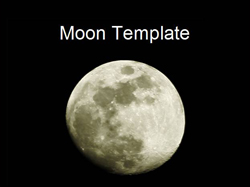
I took the photo using a Canon EOS300D digital camera. I tried initially to take the picture with a standard lens but the image was too small. A trip down to the camera shop and I was able to pick up a 300mm lens that was not too expensive.
There are two secrets to taking pictures of the moon.
1. A tripod is absolutely essential.
2. You must use a manual exposure. As it is so dark the camera will automatically add in a long exposure of 4 seconds.
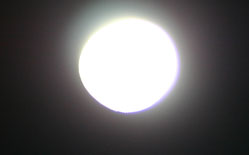
Using automatic exposure (above) results in the moon being over exposed.
But when you zoom in the moon is actually very bright. The photo in the templates was taken at 1/160 second with F5.6 at ISO 100.
All moon images need a degree of manipulation to make them work. I used Photoshop to touch up the images. Using the curves settings works better than the levels settings. The sharpen filter produced some good results. I then added a hint of yellow to the image to create some extra depth.
Published On: 2nd Aug 2007
Read more about -Nature Powerpoint Templates,Template Articles , Black, Night, Space, Time
-
Thanks will hopefully use this as part of a group presentation (about the moon/craters) for school.
-
Hi
I was wondering if you had anymore free templates for Keynotes? I love the moon shots but I think it’s just for powerpoint.
Thanks
-
Hi Tony,
Apparently Keynote allows you to import presentations created in Microsoft PowerPoint and to create presentations that can easily be saved as PowerPoint files. This means you can download any presentation on the website, save it and then edit it using Keynotes