
We have had such a strong response to our article about Open Office Impress that we have decided to convert all of our most popular PowerPoint templates across to Open Office Impress although you can now open any of our PowerPoint templates in Impress.
| Free Open Office Templates | |
Bluewaves download as Impress (odp) file |
Subtlegrid download as Impress (odp) file |
Blue bubbles download as Impress (odp) file |
Business2 download as Impress (odp) file |
3d graph download as Impress (odp) file |
Lightstreaks download as Impress (odp) file |
Filmstrip download as Impress (odp) file |
Business1 download as Impress (odp) file |
Numbers download as download asImpress (odp) file |
Bluelights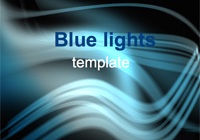 download as download asImpress (odp) file |
Clouds download as download asImpress (odp) file |
Pastel eggs  download as download asImpress (odp) file |
Graph download as download asImpress (odp) file |
Corporate1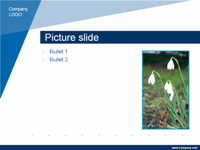 download as download asImpress (odp) file |
Birthday 1 download as download asImpress (odp) file |
Birthday 2 download as download asImpress (odp) file |
Please note that these free Open Office Impress templates are property of Presentation Magazine and cannot be resold or displayed on the web without permission.
Published On: 7th Jul 2007
Read more about -OpenOffice Impress,Template Articles , Clouds, Software
-
[…] not available in PowerPoint. See our posts on Is Open Office Impress better than PowerPoint? and Free Impress Templates. You can also read Bruce Byfield’s comparison of Open Office and […]
-
These are great! Thanks for the resources.
-
The download for “Numbers” seems to be broken, it brings up another page. All others I checked worked, thanks.
-
Nice resources!! thanks !!
-
These are the best template i ever see. Two thumbs up!!
-
thanks a lot, they’re good templates 🙂
-
“Please note that these free Open Office Impress templates are property of Presentation Helper and cannot be resold or displayed on the web without permission.”
Then those templates are not really free. Those are proprietary even if you can freely download those. You are abusing and twisting the word free here.
-
Mike
There is a diference between free and open source. These templates are free for people to use in their own presentations and can be downloaded at no charge.
You will find plenty of sites that wwill charge you $24 for similar templates.
We have put a lot of work into developing the templates on this site. We’ve had a couple of people who have taken our templates and passed them off as their own work – and that is not fair.
Luckily we have a good community of users who are happy to point out where they see our templates displayed.
-
How do you install?
Whenever I try it comes up with:
The application cannot be started,
The configuration service is not available,
Start the setup application to repair the instillation from the CD or the folder containing the instillation packages.??!!!?!?!?!??!?!!?
-
Are you able to OpenOffice? If so then you should be able to open these templates by simply using the “File Open” command .
-
Thanks a lot, I loved the Bluewaves template.
I’d like to know what license theses files are releaseds. Are them Creative Commons? -
Thanks Silveria
Glad you liked them.
The templates are not under creative commons.
They are free to use in personal and business presentations, but not to be sold on, or be redistributed in any way.
hope that helps
-
I can open the file, but how do I save it as a template and apply to existing presentations?
-
How do you save to “My Templates” inOpenOffice?
-
Thanks so much for the free OpenOffice.org Impress templates. They downloaded and installed seamlessly. It is also very nice that they are complete, professional looking and atractive presentations (as opposed to some fuzzy screenshot type slide with no examples of title page, bullet page, etc.). Very helpful. Thanks again.
-
great templates! Just download the TEMPLATE (otp) (not the impress file – its not a template) and unzip it to your home/user/.openoffice/usr/templates folder. Then open Impress and click on “Master Pages” under the tasks pane and it should show up. Again, thanks for the wonder resource!
-
This is good stuff. Nice work.
-
muchas gracias 😀
-
Where do you pu the template and presentation in openoffice impress. show me step by step.
-
Max – The easiest way is just to open the file (File > Open) and then add in some changes and save it in My Documents with a new file name. You could also put it into the same location as the other OpenOffice templates, but that is more complicated.
-
I love it.
-
Excellent resources, really! Thanks a lot.
-
“Mike
There is a diference between free and open source. These templates are free for people to use in their own presentations and can be downloaded at no charge.”
The templates might be gratis but they aren’t free as in free software. The GNU General Public License and the Lesser GNU General Public License under which Open Office is licensed is not an “open source” license it is a “free software” license…read the license…you will not see the words “open source” anywhere in the license.
“Free software” has nothing to do with money it has to do with the rights you have as a computer user.
-
Great resources!!!
Slick and professional -
What is an .odp file? What is an .odt file? What is an .sti file? What is the difference? Which one should I download? What directory should I put it in? Or do they need to be installed? Why is there no info on these simple things on this page? Without such info the files are useless. Sheesh…
-
awesome templates. thank you so much for this contribution
-
Hmmm I downloaded the template files, imported them as the OO help said. They showed up in the Available for use pane, under Master pages but icons had no picture and did nothing to pages I tried to apply them to.
Obviously I’m to stupid to use them. I agree with one of the previous posters without instructions on how to install them they are useless to idiots like myself.
-
*Windows Installation*
I was having some problems too, but finally figured it out. Unzip the files, and place them in the templates folder (which was empty on my new install). In XP, it is found at:
/Documents and Settings/(user)/Application Data/OpenOffice.org/3/user/templateWorked fine from here.
-
´the best
-
These rock, thanks.
-
cooooooooooooooooooooooooooooooooooool!
-
Nice!
😛 The easter eggs is the best template :P.
Very cute, and very presantable in any situation. -
Nice work! Thanks for the templates and contributing to openoffice.org.
-
Thank you very much. I downloaded some….all the slides are really nice..
-
i would like to use it for a college course
and i will not reuse them as if they are mine design i just don’t like the options that power point 2007 gives to use -
Without CLEAR installation instructions, these are next to useless. Good templates though just to open and view with Impress. I’m glad i’m not the only one who can’t seem to install them and I thought I knew what I was doing.
-
Great work! Thanks for sharing this!
-
Thank you for these…I can get the corporate one to open but cannot figure out how to edit where it says company logo to insert my logo nor where it says the url I cannot seem to edit that as well?
please advise…
-
Thank you!!
-
Thanks for all of these.
-
I like Bluewaves. Thanks
-
Thank you ! I have some math + AI presentation + potential graphs of all sorts. I think it could work to use the “3d graph” presentation .. Either way, thanx. Good work !
-
I will be using these as I prepare presentations (using Impress) for a home-school co-op class. Thank you for making these available.
-
“I can get the corporate one to open but cannot figure out how to edit where it says company logo”
1. go to “file” and then “open” so that you have the template opened and on screen
2. go to “view” -> “Master” -> “Slide Master” and the opened template will change so that the sections are outlined.
3. delete the “company logo” box that was added by the developer.
4. go to “insert” -> “picture” -> “from file” and find your logo file on your hard drive.
-
Thanks a lot! these templates are seriously nice 😀
-
I can’t work out for the life of me where to save them and how to make the work
-
thanks for these template . i need template for power or energy
-
thanks a lot man !!!
-
Wow! God bless you for posting up such lovely templates. Whoever made them is very talented and the world is lucky to have free access to this.
-
Thanks, bluewaves template is very nice 🙂
-
thanks,for this templete.you help me alot 🙂 🙂 🙂
-
i love this thing man its wondorfel
-
wapos
-
Excelente! me ha salvado en muchas ocaciones 100% recomendable
-
how do you make 1!
-
Ok, like everyone else I was lost as to how to use these templates and none of the other comments were working. Here’s how I finally got it to work. Save the otp file somewhere on your computer, it’s not too important where. Open Impress and click file->templates->organize. Then right click on “Presentation Backgrounds” and hit import. Find wherever you saved your template you just downloaded and there you go. Hope this helps you all.
-
Adam! Thank you so much! I was getting so frustrated. Thank you thank you thank you!
-
This is great some great stuff. I just started making small simple powerpoint videos and this site is a great resource and huge find for me. Thanks a lot!
-
Thank you very much… been helpping a lot!
-
im in my language arts class from sonoma,california
-
please tell how to use the slide.where to put the slide after downloding
-
i dont know how to apply this theme…
can u show me? 🙂
-
are there any master templates? if so, where 2 save them? 🙁
-
the clouds are beautiful
-
Thanks 🙂
-
very goooooooooooooooooooooooood
-
love the clouds.
thank you! -
so good that indeed it
-
I would love it if you could create an Open / LibreOffice version of the Colour Card or Coloured slides template.
-
i dont know how to apply this theme
-
how you put emoji?


- Abstract
- Animal
- Animated
- Architecture
- Birthday
- Business
- Calendar
- Celebration
- Christmas
- Clip Art
- Maps
- Educational
- Engineering
- Flags
- Food and Drink
- Landmarks
- Medical
- Nature
- Pattern
- Science
- Shape
- Sport
- Transport
- Travel
- Valentines
- Weather
- Wedding
- Subtle Waves Template
- Business world map
- Filmstrip with Countdown
- Business 1
- Blue Bubbles
- Corporate 2
- Vector flowers template
- Filmstrip
- Editable PowerPoint newspapers
- Hands Template
- Red blood cells slide
- Circles Template on white
- Maps of America
- Light Streaks Business Template
- Zen stones template
- Heartbeat Template
- Web icons template
- Chalkboard