Animated Powerpoint Templates,Educational Powerpoint Templates , Black, Drama, Editor's pick, Media, Theatre
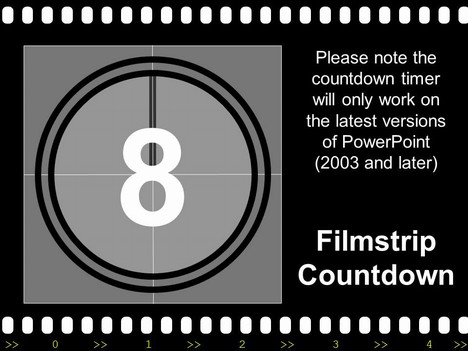
A version of our popular free Filmstrip PowerPoint template, but one that has a built-in countdown timer. This template has been made entirely in PowerPoint – using the in-built animation effects.
It has a couple of beeps at the end of the countdown, so make sure that you have your speakers turned up. Could be used for a wide range of presentations, but especially for a presentation about the movies, video production or film stars.
If you have enjoyed using this template, please let us know in the comments box below, what you used it for.



If you liked this PowerPoint Template we would appreciate you liking it on FaceBook or Tweeting it.
Published On: 17th Nov 2014
Read more about -Animated Powerpoint Templates,Educational Powerpoint Templates , Black, Drama, Editor's pick, Media, Theatre Template number 00076
-
Hi, the countdown filmstrip is nice and simple.
If you change the clock turn animation effect in 355 degrees instaed of 360 degrees teh animation looks better. -
Thanks Han
Such a simple change but it makes all the difference. We have made the changes an uploaded the new file. -
I love it so much… its great and really persuasive and powerful… definitely worth seeing.
-
This is the best template i ever had!This template has helped me a lot in my project! Thank You !!!
-
This is an excellent idea used for a powerpoint it help u
-
Thanks so much, I have to review a film using powerpoint tommorow, It’s so late and I’m so tired but your template has given me burst of energy, brillient, billient, brillient…..
-
I love it !
Thanx for sharing us ^_^ -
i just love it! thanks!
-
Usefull..!!
thanks for sharing..!! -
Marvellous!!! Thanks so much for such a creative work. You saved my life!
-
8 * 7 * 6 * 5 * 4 * 3 * 2 * 1 + 0 times thanks…SSO
-
This is Great!
-
It seems to be a great template. Taking the chance that this may sound silly: how do you activate the countdown? or doesn’t it work for vista?
-
I am going to practice my presentation skill and my topic is about a movie….This template quite matches my topic. I’m so happy to find this out. Thank you very much.
-
Thanks for this great template! Our Graduate group gets so tired of doing powerpoint after powerpoint. It makes it so much more bearable when we can compete for the coolest templates! I think I win this class! How much cooler can you get?!?!
-
really cool! loved it!
-
very cool
-
thanks it really helped me a lot,
could you pls do a “fantasy” or a “dream” kind of theme.
hehehehe thanks!! -
This is a nice template.
very cool. -
Can anybody tell how to get the animation to work.
Thanks -
You need to play it in PowerPoint view mode and then it should start automatically. Check that you have PowerPoint 2002 or higher.
-
very good design…nice
-
it is coolest and THE BEST template!!it helped me alot!
-
Excellent
Thanks -
Thanx a TON!!! i mean whoever uploaded dis..thanx a mil!!
-
so cool bro!!!
-
Thank you for sharing!!! I love it! PEACE AND LOVE!
-
ABSOLUTELY GENIUS!!!!
-
very very fantastic
-
Countdown!
I was looking for the one! Thank you very much. -
Gonna try this one for my project…thanks
-
dude its really funny and cool!! thnx!!!
-
Thank you.. this is great!!
-
the super pretty n posh slide
-
very very cool
-
IT’s very wonderful
thank you for giving it. -
Thanks a lot!
-
thanks!!! my group got A+ cuz of this!!
-
This is fabulous ;)!!!!!!!!!!!
Thank you
-
thanks for this.. it helped me alot!
-
damm good man
-
Just what I was looking for….Thnaks
-
I LOVE THIS!! I am goign to feature it on my show. PRIMETIME!!
-
BTW, this works just fine for ANY version of PowerPoint, including Office for Mac 2004 and later. I’ve done some of my own animation for my classroom, and my students love it, but it’s nice to find some well-designed animations I can just enter information quickly and go with…
-
wooooooooooooooooooooooooooooooooooow
i love it
-
salamat!
-
very nice!!!! Thanks!!!!!
-
Thanks, I’ve been looking for something that will catch the attention of the P6 children when we start our Big Science Show
-
Thanks man for this great template
-
WoW!
Thanks so much. It helped me a lotGod bless
-
I cant get it to work
I cant type in anything it just plays -
I love this one, i have a report on Monday and its Saturday evening and i found this for my photo class and i just love it. It fits my presentation and my over all goal for the presentation. Thank a lot, it’s a grate one; I am looking forvard to doing my PowerPoint presentation and i think its going to be a hit! 😛
-
Hi big thanx for crating this one so cool, we use ot fo our final presentation at school very nice !!
-
hell nice
-
i love it!! Thanks for this.. it helped me!!
-
not so good…
-
thx for sharing
it’s really cool and so awesome ^^
i use this template for my presentation thx u again
-
thanx thanx
u r just amazingly coooooooooooooool!!!!!! -
wow! i love this one. it’s creative..and there is no other thing.. it’s really good.
-
Thanks for sharing !
-
Thanks a ton .It’s very lovely
-
Great!
-
i liked it,,,thanks 🙂
-
thank you very much.
a great help.
thank you again!
🙂 -
its cool bro
-
its good man
-
Muchisisisisisismas gracias!
Esto es lo que buscaba.
-
It´s cool but… how I use it in a PP presentacion?
-
awesome ! it encourages me to start doing my project presentation.
thanks a bunch ! -
hi v niLa teamwork, media guys from South India.
of-course happy to say v are from Tamilnad.
v thank u for your theme images.
it’s more beautiful & suitable for the story board presentation.
S
now our team CLICKS. . .your FILM STRIPS. -
Very nice. I’m working on a presentation with a film-like intro slide and the countdown is an excellent backdrop for a series of beeps to kick-start sound playback and ensure that everything synchs nicely later on.
-
i like it very much… thanks for your cool site…
-
Hi Admin,
Good job! Thanks a million!
-
Thank…you
-
GREAT!! SO AWESOME!! THANKS A TON!!
-
Awesome! Thanks 🙂
-
hey thx for the flimstrip but how do u make the boxes bigger eg like the second slide i want to make them normal size
-
Thanks for it…thanks that i can use it for my presentation
-
Thanks for that. it is useful for me. thanks.
-
I did enjoy, but this tamplete should work also off line.
-
thanks this was a great web site for ppt slides and has improved my presentation immensely.thank a heap.
-
GOOD
-
I used this as a presentation for an art class project-site visit. My professor loved it. I recorded my daughter’s voice as the countdown from 5-1. I even copied one the slides and put it as “The End”.
I wanted to add it to my site for the final project, but I don’t know how. Do you?
Thanks,
Dawn -
Slam for evrybody
What a beautiful template ??
this is the Third time I download this template and from your site in 3 years ..I always start my Project’s presentation with it.
May Allah bless you …
Regards
-
A FIght CLub presentation for school
-
keep a good work and keep sharing.. 🙂
-
thanks…thanks…..thanksss
-
just finding a good templates!!!
This is one of them!!
Good!!
:-}
-
Thats great!!!!!!!!!
But I need this template for powerpoint 2007!!
Can Somebody help……PLZ!!!!!!!!!
-
thanks a lot. it really helped me out!
Keep up the good work! -
Woooow!!!!!!!!!
thank you
-
thank you
it really helped me i need it for a presentation in power point
thanks
-
COOL!!!!
-
Outstanding!!! Really added “punch” to my presentation!! 🙂 THANKS!!!
-
Hey, can i plz ask if the timer goes down to -2 and 1? because when i downloaded it, it onli stopped at 3. plz reply back quick. thanks
-
wow… amazing.. this really helps me thanks admin
-
great..thanks
-
Wow… so very nice~ I choice yore presentation. Thank you
-
I have a question. Does this animation work on MO 2007? Because the countdown doesnt start when I apply the template. Do I need to change something in setting or?
Please, any advice is welcome… -
thanks for sharing…
-
Mirela
The presentation has been designed in powerPoint 2003, but should work on Office 2007.
The problem is that the anumation is in the presentation PPT and not in the template. If you open the PPT file directly after download you should see the animation work.
-
Thanks so much, i’m looking for a templates that are suitable for my teambuilding plan
-
thx .. 😀
-
This is amazing! Gave my prez a very professional look. Thanks so much!
-
Thank you for your contribution
-
JUST WHAT I WAS LOOKING FOR!!!!
THANX -
very nice nd thnxxxxxxx
-
misteriouZly
-
Good one. Am going to use this for the powerpoint presentation in my next review meeting
-
thanks very much for this beauty of a template
-
I love it. It makes my powerpoint much interesting. Thanks so much!
-
thank you….
-
How do you take the edge thing off if you want to do different slides without that on it?
-
Where do you download the powerpoint?
-
HHHHHHHHHHHHHHHHHHHHHHHIIIIIIIIIIIIIIIIIIIIIIIIIIIIIIIIIIIIIIIIIIIIIIIIIIIIIIIIIIIIIIIIIIIIIIIIIIIIIIIIIIIIIIIIIIIIIIIIIIIIIIIIIIIIIIIIIIIIIIIIIIIIIIIII
-
its gr8! Thanks for sharing
-
thanks
-
[…] design themes would be our silver star template or if your are looking for for animated slides our animated countdown slide. Download as Power Point (PPT) fileInbuilt slides Download as Power Point (PPT) […]
-
Brilliant.. I can’t wait to use it in one of my presentations.
-
Thats awsome!!! i will defo use it for my presnetation!
-
great but i was just wondering how you change the clock animation please reply a.s.a.p thanks
-
I’ve been searching for such template for ages. Thank you so much :X
-
thank you! this site really helped me a lot:) more powers!
-
I like it. the color is simple, but a strong vision wallop.
-
very nice presentation slide.
-
Thank u woooooooooow
-
thanks!
-
very nice… thanks for the great job
-
awoasome
-
It is very helpful. Thanks
-
I just love this – thank you
-
thanks
-
it’s great, thank you for sharing
-
I loved this template! I used it for a presentation I gave in my Communications class on Conflict in Movies. It ended up being the best looking presentation in the class.. Thanks very much for making this available!
-
thnx a lot
-
Am using this for my Media class presentation and it works great on my powerpoint on film. so on point!
-
simple and effective, just great!
-
Thanks and excellent
-
I have to make a presentation on Production processes… and this template is just apt for me 🙂
Love it … Hope my boss likes it too 🙂
-
best powerpoint ever so kewl the count down!!!! im useing it for my powerpoint now!! 😀
-
This is a GREAT template. Thanks for your hard work and for sharing.
-
Thank you very mucho for shearing this presentation y great.
I will use it in Mexico just for may personal presentationes -
thank you
-
tnx for sharing this presentation it will be a big help.
-
Question For Admin . . .
Preface my question by saying I’m a powerpoint novice: how do i get it to start on 10 and end on 0? (currently it starts on 8 and ends on 3) I’m using 2007 version of powerpoint
-
i’ve never seen hundred testimony for one template.
it was because such a brilliant job.
nice work.. thx for share. -
school presentation
-
THIS IS COOL
ESTA MUY CHINGON!!!
FELICIDADES!! -
just nice
-
Very nice, thx u ^^
-
galing nito, bro!
-
Thank you!
Incorporated this into the start of a business presentation and it was really well received. This is very effective and assisted in catching the attention of the audience.
Wanted to say a big THANK YOU for sharing!
-
How generous of you…salamat gid!!!(means thank you)
-
muy bueno lo usaré en una clase de historia, creo que el efecto inicial es muy motivador para los niños.
-
thank you~!
-
THK
-
awesome
-
cool..
-
i sUpEr LoVe ThIs tEmPLaTe!!! vEry NiCe!! tNx so MuCh!!
-
thanks…^^
-
This is really cool.This is the only website havin these cool slides I suppose .
-
Thanks for the powerpoint. Use it for my community college class.
-
awesome!!! two thumbs up!!!!!
-
Awsome Really awsome so good so good I can belive
-
Excelente herramienta, grax!
-
great!! 😉
-
Thank you ^^
-
using for lecture. thanks!
-
this roxxx
-
espectaculares…
continuem assim!!!!!
Parabéns!!!!!!!!!!!!!!!!!!!!!
-
thnks a lot this is so reat and wonderful!!
-
i just love it
-
i love it..
But I dont know how to. use the countdown ?please hElp me …
thank you
-
Hi Angelo,
Once you have downloaded the file the countdown will work when you press the “slideshow icon” or the tab at the top and click “from the beginning”, once you have gone past the first page the countdown will begin. -
Hi
I used in my little project, I loved, thank you so much.
Thanks for sharing.
Was the filmstrip I was looking for. -
It’s good for me!
Thanks!!(in S.KOREA)
-
I want to use the FilmStrip presentation to show a lecture that was covered while studying in Europe this past summer. This powerpoint template has everything I need to make a great presentation and I think it has what I’m looking for to capture the audience atttention.
Thanks
-
terima kasih banyak.ya ini yang saya butuhkan
-
It’s an amazing template!
-
I plan on using the countdown to highlight child hunger issues for a presentation through the non-profit I work at. Thanks for allowing us to use this!
-
How do I get this on my powerpoint? I downloaded it but I dont know what to do next! And I saw this countdown on my friend’s powerpoint and it looked beast!
-
nice~~~
-
Hi Tony, This template needs to be added to the front of your own presentation. The best way would probably be by copying and pasting your own slides to the end of this template. This will not affect any of the timings currently pre set on this powerpoint. To show the moving countdown you need to go to the “slideshow” button and this will play the count down and go directly into your own slides which should be able to be moved on with the click of the mouse (or add your own animation to your slides using the transitions menu”
-
Great!!!! n useful one.. Thanx a lot
-
Great share, thanks a lot…
-
thnk u!!!….i wanted it for a project itzz soo cool! 😀
-
thanks for this site
-
Amazing, how do you do that?
-
Thanks. Great templates.
-
Just the best I was looking for. Thank you for being a blessing
Henry
-
I used this template for my presentation and it was a success. Thanks a lot.
-
Thank you for the sharing.
-
Absolutely love it, i needed one for a presentation i was working on but no luck 🙁 so glasi came across this site! thank you so much.
-
thanks a lot~!
-
It’s really impressive and great! Thank you so much!
-
thank u for sharing….
it’s very cool -
It’s really cool
-
As a (retired) filmmaker (yes, with real FILM), I countless times cut in “Academy Leader” to my work. So I modified this file to more closely mimic the original, e.g., adding beeps to each number, changing the timing to seconds, etc.
If I can figure out where to upload the file to this site, I’ll do so.But thanks for this–I only today came across your website!!
-
Wonderful website. Plenty of useful info here. I’m sending it to some buddies ans also sharing in delicious. And of course, thanks in your effort!
-
Thank you very much for sharing..
-
This was totally awesome! Used it for a video for 20 year high school renunion
-
You have great templates on here
-
Would be better with 2 and 1
-
nice job…
that’s cool -
Really Appreciate for your work 🙂
-
i hope it can help me in my presentation . .i’m looking forward to this . .thank you !
-
how could I use it?
after downloading I could not open it??
” power point can not read the outline. No text converter isntalled”
so,what should I do then? -
I was looking for a countdown movie for my presentation and I found it in your site and it is very easy to used. Wonderfull. Thank you very much for sharing.
-
I’m a communication student & this is the ideal power point for some of my presentations
-
this is great template,thanks 🙂
-
This is amazing! Gave my prez a very professional look. Thanks so much!
-
LOVE IT!!! Was able to save it as a movie and use it at the beginning of my daughter’s 1st year iMovie I made!
-
thanks for this great template
-
Nice work, but actual motion picture film would have the sprocket holes on the sides, not top and bottom. It’s not 35mm still photos.
-
Fantastic!!!!
-
there is a thrilling part of it that helps me get the attention of my listeners. a very special thanks to you.
-
its great very very useful i love it!!!
-
Great template thanks 🙂
-
Thanks!
We have to do movie PPT.
This is the true one I want!!
Fantastic design! -
very good
thanks -
absolutely fantastic template!! i used this and credited you in my TOK presentation 🙂
-
Filmstrip with countdown is a good tool to use when one wants to insert an extra introduction in form of video whne he or she is making a full presentation.
-
AWESOME TEMPLATE!
Used this for a project!! Perfect theme!! -
DOWNLOADED JUST IN 2 MINUTES VERY FAST AND VERY EFFICIENT. HATS OFF TO U GUYS
-
an good template
-
thank you so much
-
Fantastic. Much appreciated.
-
thank you for sharing
-
Many thanks! It´s fantastic!
-
Does anyone know how to speed up the countdown in the beginning?
-
Good day. Many thanks for providing FREE templates. I appreciate and understnd the efforts gone into making it. Very kind of you to enable me to download and use it. Hearty thanks once again – Venkat, India
-
This is soooooo cool! Thanks
-
this is amazing i just love, your team is so creative.
-
it’s amazing template, tku for share it
-
wow.. amazing. that is so simple and nice. thank u.. i love it.