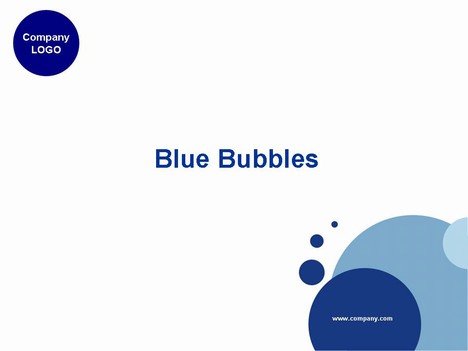
Rather a nice Blue Bubble PowerPoint template on a white background. Could be used as a free background for a range of corporate presentations.
It could also be used for a presentation to show the bubble bursting on a financial crisis.
If you have enjoyed using this template, please let us know in the comments box below, what you used it for.
If you liked this PowerPoint Template we would appreciate you liking it on FaceBook or Tweeting it.
Published On: 11th Nov 2006
Read more about -Business Powerpoint Templates , Blue, Bubbles, Green, Simple Template number 00096
Recommended Pages




-
These are great but I can’t figure out how to upload new logos to the templates.
-
Hi Jeff, either upload a logo as an image preferably a png and place that over the current log, or on the template, choose view > master > slidemaster ortemplate master and edit the logo text.
hope that helps
-
I got more than i need.
Thanks a lot. -
Dear,
i never forget your contribution for this templates.thanks a lot.wishing u and ur website
best of luck, bye./ anup.gtl.dhaka(engg.telecom) -
+_+ Thank You ~ !!!
-
Thanks very much
It’s so cute -
THNKS
-
Thanks for help. Have bookmarked you.
Best
RD -
very well
-
Is it possible to clear the company logo?
-
Yes you can clear the company logo by downloading the file going into PowerPoint then go to View > Master > Slide Master> and then you can change it there
-
tks much!
-
Hi, thanks a lot!
This template design is completely match my sense.Thank you again.
-
Cute and practical at the same time.
Haven’t tried on a projector, but I bet
fonts and colors will be very clear too. -
thank you very much
4 ur help to us
-
Thank you
Terimakasih
🙂 -
Thank you very much! ^-^
-
thanks a lot
-
thnks alot
-
gr8 stuff. thanx man..
-
this is just the thing I need to brighten up revision lessons for A level resits . Thank you
-
thanks
-
Very good for business presentation. Thank you.
-
It’s great. Thank you.
-
very cool template , thanks =D
-
This is an AWESOME template. It’s fun but doesn’t take away from the content- I just used it and it was a huge hit!
-
Thanks a lot!! so cute 🙂
-
Thanks this is the template I need
-
thanks for the cute template
-
Thank you…very much Thailand
-
Thank very much, they are really nice!!!
-
good
-
very pretty. It would be great to have some print-friendly templates. This is quite good already with the white background, but it would be great to be able to make the bubbles lighter in color or smaller.
But already a lot of help.
-
Excellent collections.
Thank you very very much. -
Thanks!!!
-
Excatly what I was looking for- professional but a little fun, and without taking away from the point. Thank you!!!
-
excellent.Excatly what I was looking for- professional but a little fun, and without taking away from the point. Thank you!!!
-
Thanx… u give so much.. ^^ Very good!!!
-
Thank you, nice, simple and learned how to use mater key. Best wishes for you
-
They’re simple design,,but cooL..=P
-
thanks for your sharing.
-
thanks a lot.
It will give me a great help! -
nice really cool…..!
-
thank you! very useful! 🙂
-
perfect
-
VERY NICE…
CAME EVERY DAY WITH NEW AND NICE THINGS 🙂 -
Thank You very very much, I like it and so excited for my presentation it really match with my topic…….
A lot of Help!!!! -
Good job
-
ok…….
-
thank you!!!!
-
Thanks,
This is a very nice one 🙂
-
thanks ! very helpful
-
Great template. The above tip with viewing the master slide worked perfect for getting rid of the bottom-left corner url, can’t remember what I did but tinker around and you’ll find it.
-
thanks a lot!!
-
thanks! very useful~
-
thanks~ very nice~
-
Thanks!!
-
Thank you!
-
I love the slides. One problem; cannot change the “company.com” on inbuilt slides. Able to do so just fine on title slide. Please lend your assistance
-
so nice
-
is cool
-
It is really nice, however…..how can I removed the “company.com ” from the inbuilt slides?
thanks!!!
-
these are great!!! but how to eliminate “company.com”??
thnks!! -
thanks
-
please tell me how to delete company.com from the 2-6 slides thanks
-
Go to View > Slide Master and you can edit it there
-
no he podido descargar una
-
please tell me how to replace blue shades with the corresponding red ones
thanks -
Nice
-
Thank you?
-
thanks a lot, it’s a great help
-
nice-nice-very nice,thank
-
very thank you !
-
I was looking for a template that would look more fun to Trainees. I got exactly what i wanted. Thankyou, for your help,now i can complete my project.
-
thank you!!!
-
love!!!
-
Thanks for nice templates
-
thanks
-
Thanks your sharing
-
Marvelous! Thanks!
-
Thank you for your kindness
-
thanks
-
awesome
-
thanks a lot
-
so helpful, thanks
-
Love the background on these slides. Would you guys ever allow anyone to pay to use the template or even just the background design?
-
Thanks a lot~
-
thanks!
-
thank you i love you
-
Thank you I love it!!
-
thanks~!!
-
Thanks!! Keep up the good work! _/\_
-
thank you >.<
-
謝謝!
-
非常謝謝
- Abstract
- Animal
- Animated
- Architecture
- Birthday
- Business
- Calendar
- Celebration
- Christmas
- Clip Art
- Maps
- Educational
- Engineering
- Flags
- Food and Drink
- Landmarks
- Medical
- Nature
- Pattern
- Science
- Shape
- Sport
- Transport
- Travel
- Valentines
- Weather
- Wedding
- Subtle Waves Template
- Business world map
- Filmstrip with Countdown
- Business 1
- Blue Bubbles
- Corporate 2
- Vector flowers template
- Filmstrip
- Editable PowerPoint newspapers
- Hands Template
- Red blood cells slide
- Circles Template on white
- Maps of America
- Light Streaks Business Template
- Zen stones template
- Heartbeat Template
- Web icons template
- Chalkboard