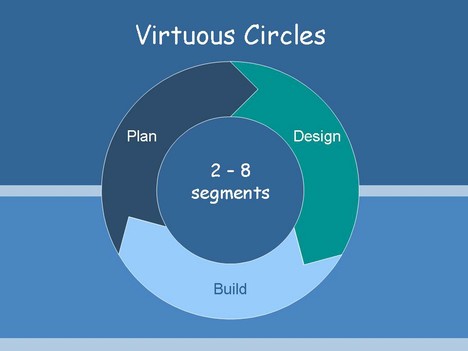
Here are a selection of editable slides that you could use in your presentations.
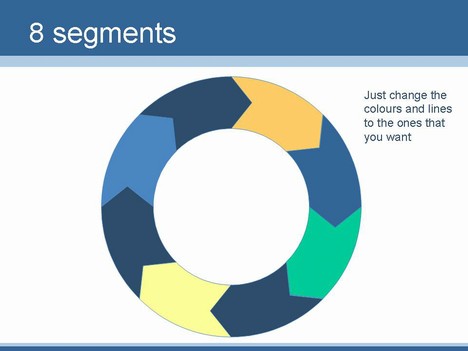
We have designed these slides in all loops from 3 stages, up to 8 stages. You can colour the fills and the lines to fit your own needs.
A virtuous circle is a complex of events that reinforces itself through a feedback loop.
They can be used to separate a process (which is ongoing) as opposed to a procedure (which has an end). These types of slides are particularly well suited to showing ongoing education.
The virtuous circle is sometimes known as a virtuous cycle, vicious circle, market circle or a wheel of fortune.
If you liked this PowerPoint Template we would appreciate you liking it on FaceBook or Tweeting it.
Published On: 23rd Jun 2008
Read more about -Business Powerpoint Templates , Blue, Circles Template number 00421
-
This presentation design is great. I have used it several times making presentations and every body likes it. Bravo
-
This was great. It saved me a lot of time not having to recreate it.
Thanks
-
I have a message/request for the owner of this
web site….First I appreciate your service on this web site…. Please put more Power Point slides on your web site to download….this will increase your site’s Penetration/visiters rate…. -
Buggu
Thanks for the message. Glad that you liike it. We’ll add what we can but this is a hobby site and we do what we can when we have some spare time.
Jonty
-
Cheers for this. Helped me out of a slight pickle. Will recommend you to anyone who needs something similar
-
I love this site. Thanks so much for posting these. They are a tremendous timesaver. Very professional, very useful and I do appreciate it.
Thanks
-
I need a 2 loop virtuous circle. How can I make it myself on a slide. I am not sure what to start with: an AutoShape arrow, a Freeform or something else?
Thank you in advance for you help! Regards, Andy
-
Hi Andy
We have just upgraded the template to inlude a 2 section virtuous circle.
We made these in Illustrator using a a bit of school geometry. We’ve not been able to figure out how to do these in PowerPoint. Jonty.
-
This worked FANTASTIC… I looked for hours and stumbled across this! Thank you!!
-
very helpful saved me loads of time, cheers
-
Huge time saver and professional quality suitable for presentation to execs
-
Very helpful with a little tweaking. Gets the point across very well. Thanks.
-
Some great ideas wonderful!
-
thank you so much, i tried to do it on my own and it didnt work out very well searched the web found this and my presentation was done in half the time.
-
The design was exactly what I was looking for and it is quite well done! Thanks!
-
Tremendous help, spent hours trying to find this kind of template
-
Great find, and thanks for sharing as PPT, without fee, nag or registration. You are the best.
-
I cannot tell you how helpful it was to find this. It saved me a lot of fiddly drawing. I would love to have a Mobius loop (the recycling three arrows) but appreciate your comments regarding this being a hobby site. I have tried to create a decent flipped over arrow and failed!
-
Thank you!
-
Thanks for this – great help
-
I used this to shorten the time I used on creating something similar. Very helpful – and a welcome change from the Windows templates that are usually everywhere (but not eneough of). Thanks!
-
Many thanks. Working late and you saved me lots of time. Kudos!
-
Thank you!
-
So useful – you saved at least one hour of my life. Many, many thanks!
-
thanks, useful!
-
Was worried I’d never make my presentation look good with the extra edge I needed for my interview. Very greatful for this site, saved time and a stupid amount of effort! Thanks!
-
Thank You Big Time. You saved me! Have a nice day ahead 🙂
-
Great stuff, thanks!